Good tools for having graphics & dev team working closely together has always been important for providing awesome digital experience! Back then, Macromedia/Adobe Flash was a 2D tool bringing together artists &…
AL
Aymeric Lamboley
9 November 2021
9 November 2021 5 min read
Good tools for having graphics & dev team working closely together has always been important for providing awesome digital experience! Back then, Macromedia/Adobe Flash was a 2D tool bringing together artists & coders, and that’s why it was so powerful and popular. Later Unity and Unreal Engine did the same for 3D. But those giants are too heavy for optimized web experience and the build workflow is long.
On the other side, the web itself, with evolving standards, is more powerful than ever: complex SVG animations? Hi lottie. Electron framework via Chromium enables softwares like VS Code, Slack, etc on the web. So why not having a powerful editor directly in the web and targeting the web? Here comes PlayCanvas.
Firstly, le’s have a look at the state of the art for 3D frameworks:
Unity
Unity is one of the most popular tool for indie developers from one man project to AA teams. Its big strength is obviously its editor, offering artists & coders a common tool. Regarding WebGL support, it has been enabled for a while but officially “Mobile devices are not supported by Unity WebGL”. Also if you have many web specific development code to do, like connecting to a Learning Management System, or just trying different setup to see how the perf goes, the build time will depress you.
So here comes project Tiny! Unfortunately, it’s not a priority for Unity, more than three years after its annoucement, it’s far from being stable. Unity is rewriting its engine, and Tiny is using new paradigms like DOTS, and thus the journey won’t be straightforward. Personnaly, I’m moving away from the Unity hype, waiting for things to be all connected together and working fine.
Three.js
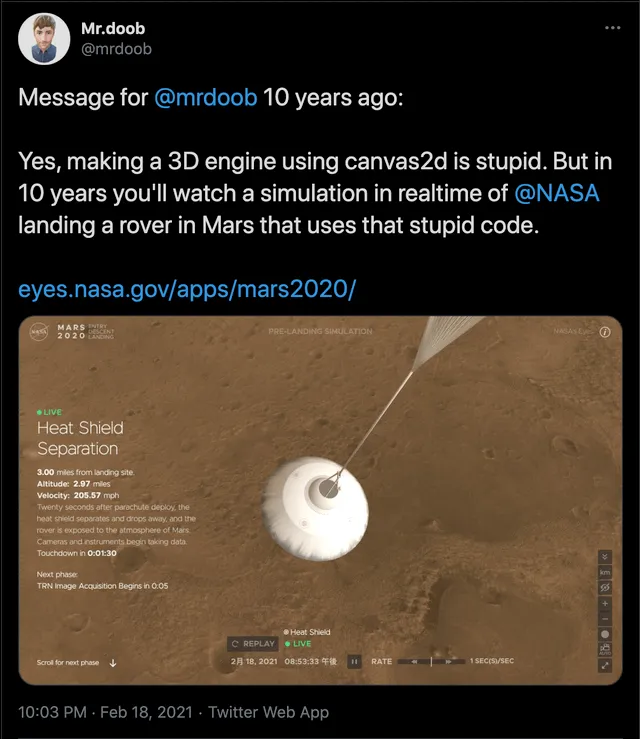
Three.js has been here for a while now and is a big guy:
Open source, community driven… awesome!! But lacking a proper editor, like Unity. There are some tools:
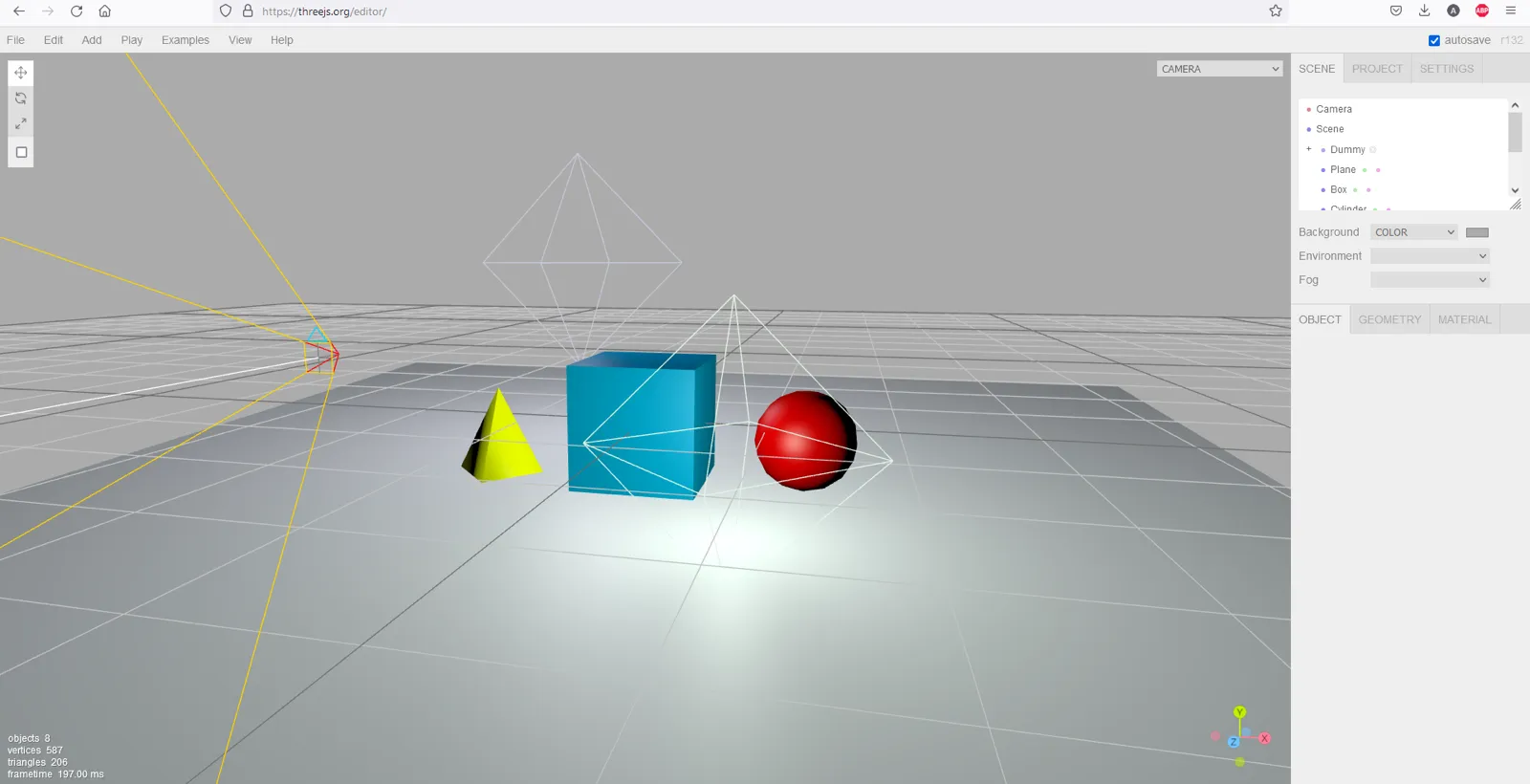
- like its simple editor but you won’t make a serious project with it.
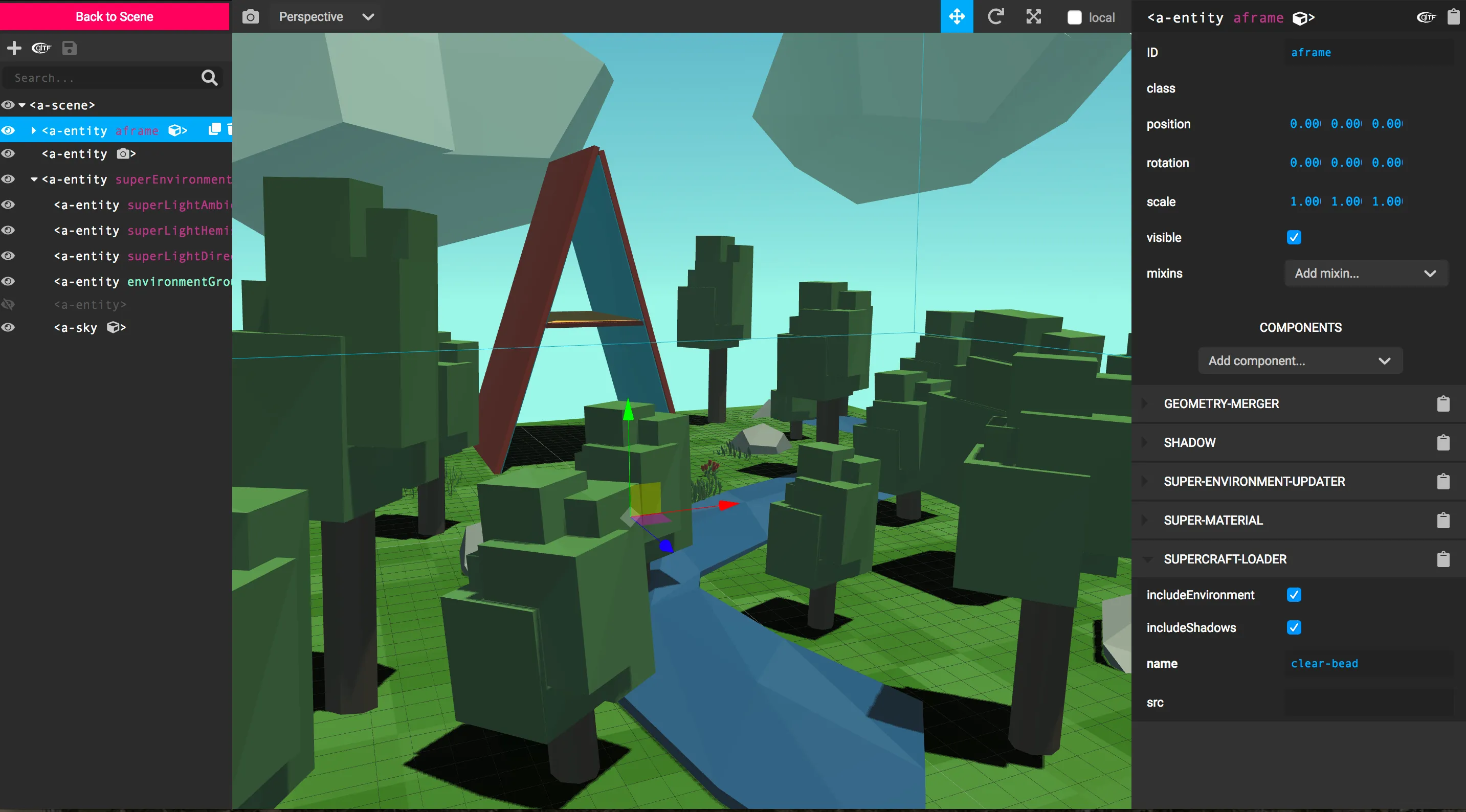
- AFrame, a framework for writing 3D content in plain HTML, embraces Three.js. It’s on good tracks, providing even an editor but too limited.
- and finally there are tools for using Unity as a level builder / editor and export data to three.js for example UnityToThreeExporter.
Babylon.js
Babylon.js is a real competitor to Three.js and is made by Microsoft. It goes even further: it is a game framework having built-in a physics engine, pathfinding etc. And a top notch documentation!! There are several Editors: Gui, node material, particle, sprite, texture, skeleton… Unfortunately, they are not built together in one editor.
However, note the community is active with two projects:
- an Editor made with Electron and using the sub editors, way more advanced than the Three.js one but still not enough for a consequent project.
- like for three.js, an (official) Unity exporter.
- also really interesting to note: Babylon Native.
PlayCanvas
PlayCanvas has been here for a while. It started in 2011 and the engine has been open sourced in 2014. The strength of PlayCanvas is its editor. Altough it’s a closed source, many parts have been open sourced: UI component library, node-based graphs library… From a pricing point of view, it’s free for public projects and offer subscriptions for private projects.
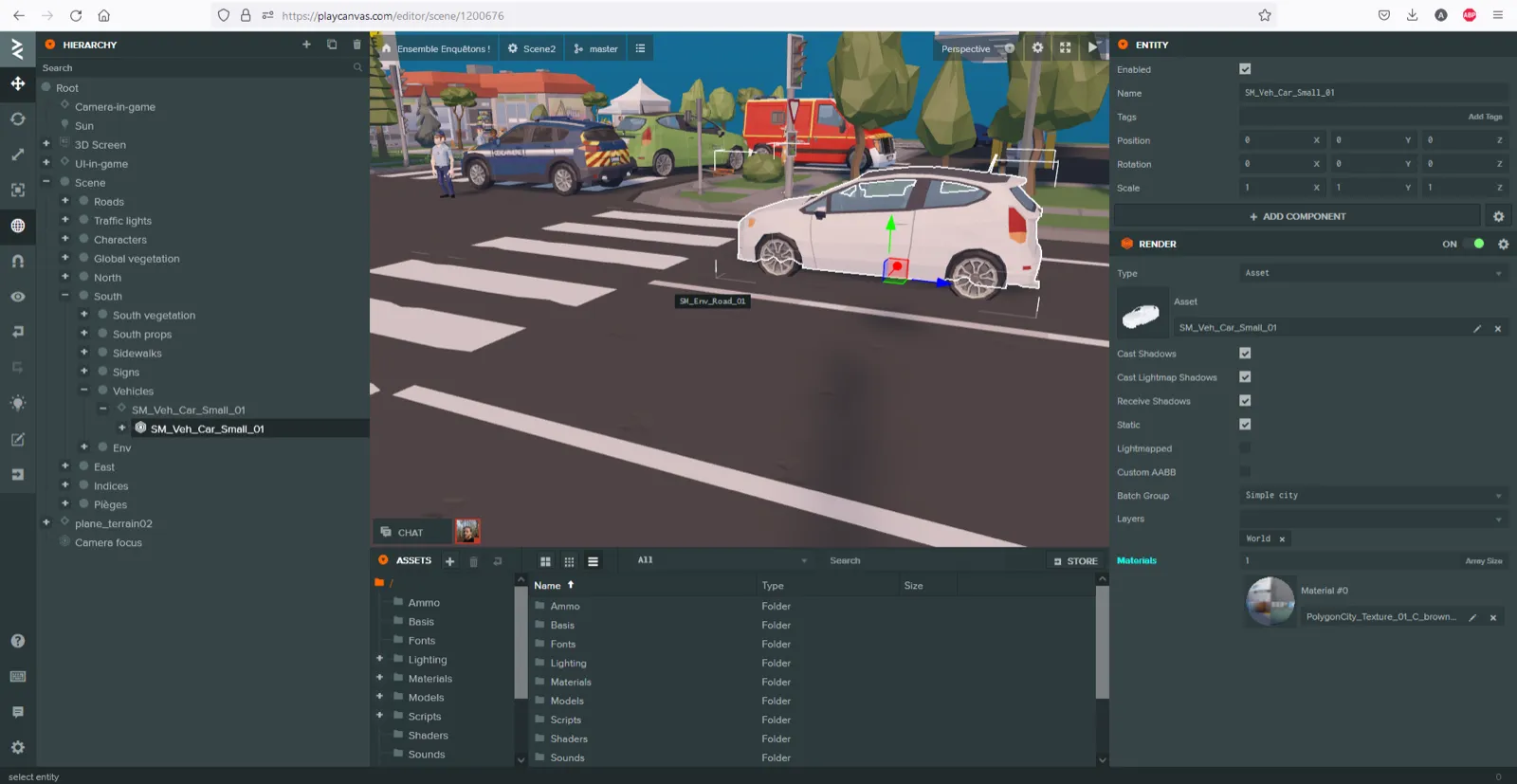
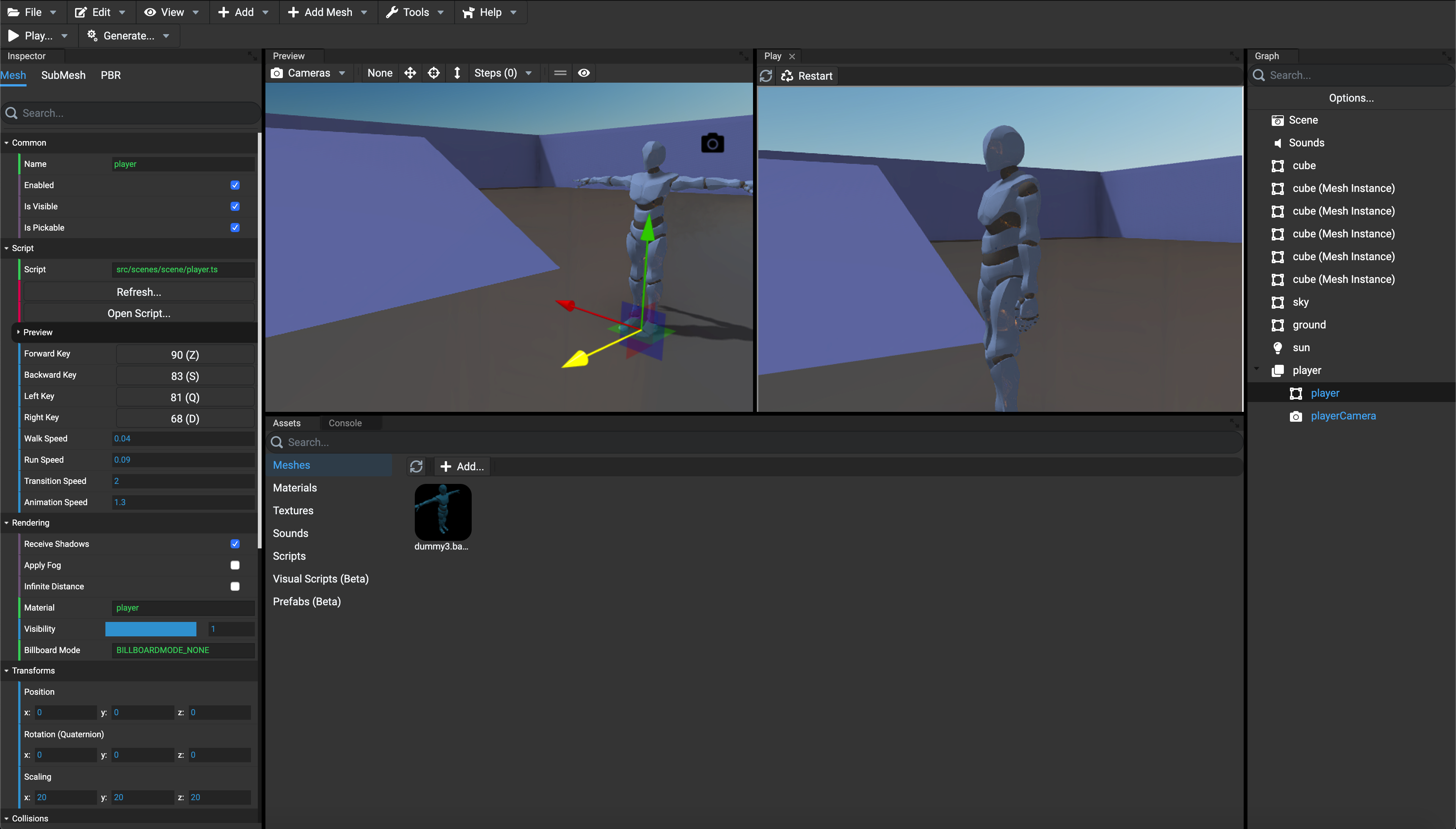
Isn’t it gorgeous? You may have complex 3D scenes and the editor will still be extremely responsive.
PlayCanvas editor is accessible through every browser, and everything is saved in the cloud. This way, the PlayCanvas editor provides an awesome way to share examples / demos or ask for help on a project: here is a simple example. You can easily fork a project or copy/paste assets and entities!
How does PlayCanvas editor compares to Unity editor?
Well, the first thing to notice is that PlayCanvas enables live update of several people on the same scene!! Since it is web based, collaboration is built-in. While on the same scene, several people can work on the level design in realtime. Everything is synchronized, and you have a built-in Version Control system to create checkpoints.
Then there is the big difference with Unity’s design. In Unity, once you press Play you can tweak values but it won’t be saved. In PlayCanvas, you’re always synchronized with the different instances, so you can test your character controller script and see level design being built by other people in realtime on the same scene. This realtime collaboration can be tricky if some scripts failed or if there are lots of tasks in progress. Fortunately, people can create branches to work on.
My feedback on PlayCanvas editor:
It’s deeply missing a runtime hierarchy debug tool. Being able to change when it’s live is really nice but how can we know current script values for instance? Hard to debug, and if you generate everything procedurally it’s a nightmare compared to Unity’s Play mode. Still, better than nothing, there is a Chrome extension, though it lacks actual support. Note that Babylon has a powerful live inspector built-in.
Displaying model hierarchy is now supported, that was a painfully missing feature!
Code and demos written in the PlayCanvas editor use old ES5 code. You can use more recent ES version, but it’s not transpiled. Nowadays it doesn’t make sense to write ES5 code… being able to write plain TypeScript code would be awesome. PlayCanvas provides a solution for real-time synchronization of files between PlayCanvas and your local machine which enables the use of TypeScript. Not tested yet.
Having everything in the browser works fine, but you won’t be able to work offline. Also, you may prefer to have everything on your computer and manage version control yourself or run CI/CD git workflow. Perhaps one day with an Electron app?
Having used PlayCanvas for several months now, I enjoyed a lot the experience. The product as well as the community! Though PlayCanvas is a small team, you can easily provide your feedbacks and interact with them. Regarding bugs, they are very active, and since it’s web based, everything can be patched quickly and automatically, no big download required! The power of the web :)