Vectorized, extruded, and spatialized map data.
Or the GeoJSON, D3.js to Three.js pipeline. It has been a while since our latest Three.js project! We're mostly playing with Unity, but it's always a nice feeling to get back to…
Aymeric Lamboley

Though AS3 Worker class is available since a while, its introduction on iOS is recent: less than 6 months. With AS3 workers being available everywhere, it's about time to create small libraries…
Though AS3 Worker class is available since a while, its introduction on iOS is recent: less than 6 months. With AS3 workers being available everywhere, it’s about time to create small libraries multi-threaded with just a few lines of code!
If you never played with Worker, you should give a look to this great series of blog post.
There are several ways to create Worker, but if you don’t want to fall in a pitfall while using ANEs in your project, I recommend to use them via a loaded SWF.
So here is a small example making a simple library for encoding bitmap data and save images on disk via a Worker:
The idea is our Main application is getting several Bitmaps from URLs and you want to save them on applicationStorageDirectory without an UI lag. Workers enable an efficient way to communicate between them via ByteArray. So once we have our Bitmap, we turned it into a shareable (across Workers) ByteArray we sent to our ImageWriterWorker. This ByteArray is then turned into BitmapData for encoding into PNG or JPG depending file extension. And finally we received an other ByteArray than we saved on disk!
Let’s start with our main class, loading a future SWF & creating the worker.
package {

	import flash.display.Bitmap;
	import flash.display.Loader;
	import flash.display.Sprite;
	import flash.events.Event;
	import flash.net.URLRequest;
	import flash.system.ApplicationDomain;
	import flash.system.LoaderContext;
	import flash.system.MessageChannel;
	import flash.system.Worker;
	import flash.system.WorkerDomain;
	import flash.utils.ByteArray;

	[SWF(frameRate = "60", width = "1024", height = "468", backgroundColor = "0xFFFFFF")]

	public class Main extends Sprite {

		public var worker:Worker;
		public var msgChannelMainToImageWriterWorker:MessageChannel;
		public var workerByteArrayShared:ByteArray;

		public function Main() {
			super();

			var workerLoader:Loader = new Loader();

			//we specify a loader context for managing SWF loading on iOS.
			var loaderContext:LoaderContext = new LoaderContext(false, ApplicationDomain.currentDomain);

			workerLoader.contentLoaderInfo.addEventListener(Event.COMPLETE, _onImageWriterWorkerLoaded);
			workerLoader.load(new URLRequest("workers/ImageWriterWorker.swf"), loaderContext);
		}

		private function _onImageWriterWorkerLoaded(evt:Event):void {

			evt.target.removeEventListener(Event.COMPLETE, _onImageWriterWorkerLoaded);

			var workerBytes:ByteArray = evt.target.bytes;
			worker = WorkerDomain.current.createWorker(workerBytes, true);
			// we set the latest arguments to true, because we want to be able to save on disk via the Worker.

			msgChannelMainToImageWriterWorker = Worker.current.createMessageChannel(worker);

			worker.setSharedProperty("mainToImageWriterWorker", msgChannelMainToImageWriterWorker);

			workerByteArrayShared = new ByteArray();
			workerByteArrayShared.shareable = true; // we share the byte array through the worker
			worker.setSharedProperty("imageBytes", workerByteArrayShared);

			worker.start();
		}
	}
}
Now the worker from our library:
package {

	import flash.display.BitmapData;
	import flash.display.JPEGEncoderOptions;
	import flash.display.PNGEncoderOptions;
	import flash.display.Sprite;
	import flash.events.Event;
	import flash.filesystem.File;
	import flash.filesystem.FileMode;
	import flash.filesystem.FileStream;
	import flash.system.MessageChannel;
	import flash.system.Worker;
	import flash.utils.ByteArray;

	public class ImageWriterWorker extends Sprite {

		public var msgChannelMainToImageWriterWorker:MessageChannel;

		public var bytes:ByteArray;

		public function ImageWriterWorker() {

			msgChannelMainToImageWriterWorker = Worker.current.getSharedProperty("mainToImageWriterWorker");

			// simple check to remove errors on execution without the main worker
			if (msgChannelMainToImageWriterWorker) {

				msgChannelMainToImageWriterWorker.addEventListener(Event.CHANNEL_MESSAGE, messageFromMainWorker);

				bytes = worker.getSharedProperty("imageBytes");
			}
		}

		private function messageFromMainWorker(evt:Event):void {

			if (msgChannelMainToImageWriterWorker.messageAvailable) {

				// we receive an object composed with an image width, height, and a url path.
				var obj:Object = msgChannelMainToImageWriterWorker.receive();

				bytes.position = 0; // read informations from start.

				var bmpd:BitmapData = new BitmapData(obj.width, obj.height, true, 0xFFFFFF);
				bmpd.setPixels(bmpd.rect, bytes);

				var localFile:File = new File(obj.path);

				var extension = obj.path.substring(obj.path.lastIndexOf(".") + 1, obj.path.length);
				var bytesEncoded:ByteArray;

				if (extension == "jpg")
					bytesEncoded = bmpd.encode(bmpd.rect, new JPEGEncoderOptions(70));

				else if (extension == "png")
					bytesEncoded = bmpd.encode(bmpd.rect, new PNGEncoderOptions(true));

				else
					throw "Unknow extension: " + extension;

				var stream:FileStream = new FileStream();
				stream.open(localFile, FileMode.WRITE);
				stream.writeBytes(bytesEncoded);
				stream.close();

				bytesEncoded.clear();
			}
		}
	}
}
Now let’s communicate from our Main worker to our ImageWriterWorker library:
private function loader_completeHandler(evt:Event):void {

	var bmp:Bitmap = evt.target.content as Bitmap;

	Main.workerByteArrayShared.clear(); // we don't want the system to get out of memory!

	bmp.bitmapData.copyPixelsToByteArray(bmp.bitmapData.rect, Main.workerByteArrayShared);

	Main.workerMessageChannelMainToBack.send({width:bmp.width, bmp:bmpd.height, path:File.applicationStorageDirectory.resolvePath("images/1.jpg").nativePath});
}
The ByteArray doesn’t need to go through the MessageChannel since it is shareable! And finally it’s our main worker which is giving the full path, because if we’re trying to access the applicationStorageDirectory from our main thread, we got an unworking path: /Users/Aymeric/Library/Application Support/[Worker].null/Local Store/images/1.jpg.
So everything is done? Yeah, it could works fine if we’re downloading pictures etc. but in fact we missed something important: concurrency! If our ImageWriterWorker takes more time to encode than the copyPixelsToByteArray, we’re changing the ByteArray before (or even during) the encoding via setPixels! We could, in fact, send the ByteArray too in the message, but it’s heavy. So we keep the shareable property and we implement a queue. The ImageWriterWorker will send a message once it has encoded & saved an image so we can proceed the next element in the queue. So let’s implement a message channel from the other side:
// Main.as
msgChannelImageWriterToMainWorker = worker.createMessageChannel(Worker.current);

msgChannelImageWriterToMainWorker.addEventListener(Event.CHANNEL_MESSAGE, messagesFromImageWriterWorker);

worker.setSharedProperty("imageWriterWorkerToMain", msgChannelImageWriterToMainWorker);

public function messagesFromImageWriterWorker(evt:Event):void {

	if (msgChannelImageWriterToMainWorker.messageAvailable) {

		if (msgChannelImageWriterToMainWorker.receive() == "IMAGE_SAVED") {

			processBitmapQueueToImageWriterWorker();
		}
	}
}

// ImageWriterWorker.as

msgChannelImageWriterToMainWorker = Worker.current.getSharedProperty("imageWriterWorkerToMain");

// then once the stream for saving the image is done:
msgChannelImageWriterToMainWorker.send("IMAGE_SAVED");

// let's define our queue in an array:
bitmapsToEncode.push([new Image0(), File.applicationStorageDirectory.resolvePath("images/0.jpg").nativePath]);

public function processBitmapQueueToImageWriterWorker():void {

	if (bitmapsToEncode.length < 1) {
		trace("queue finished");
		return;
	}

	var tab:Array = bitmapsToEncode.shift();

	var bitmap:Bitmap = tab[0];

	workerByteArrayShared.clear();

	bitmap.bitmapData.copyPixelsToByteArray(bitmap.bitmapData.rect, workerByteArrayShared);

	msgChannelMainToImageWriterWorker.send({width:bitmap.width, height:bitmap.height, path:tab[1]});
}
That’s it! You can download the code.
A cross platform Worker class was one of the latest cog needed for the AS3 platform! Yeah, but since the UI is on the main thread, we can’t upload our texture on the GPU without freezing…? Correct. But Adobe is working on the ultimate cog, an asynchronous upload for textures! Keep the faith ;)
Or the GeoJSON, D3.js to Three.js pipeline. It has been a while since our latest Three.js project! We're mostly playing with Unity, but it's always a nice feeling to get back to…
 Lab
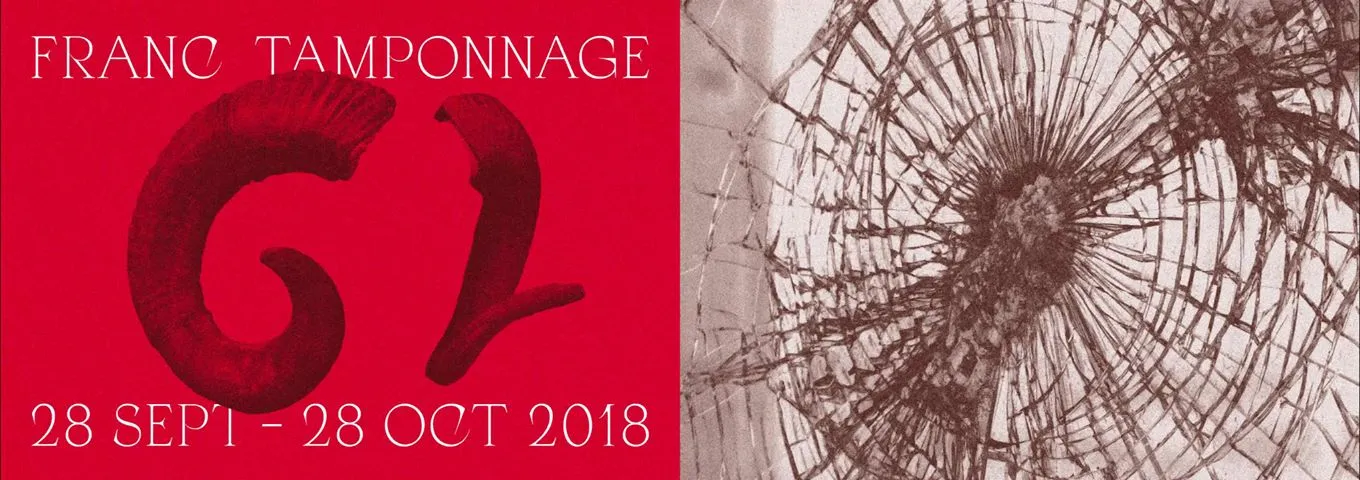
LabMagna Vox is an association located at Dijon organizing concerts in the Burgundy Franche Comté region. In 2017 we already participate to the Franc Tamponnage's edition, with some applications you can find…
 Lab
LabDuring one month, our Bourgogne Franche Comté region was in trouble: the music festival, called Franc Tamponnage, for alternative, electronic and extreme kind was in progress. Our friends at Magna Vox planned…